










A connection portal that’s ready to go.
Open the brokerage picker in a modal, send users straight to a specific brokerage, or filter the list by capabilities such as options support.
Explore account linking
Your research. Your community. Your interface. Add a complete brokerage-connected trading experience to the product you’re already building.
npx skills add trade-it-inc/react-sdk-skillA ready-to-use connection portal handles the brokerage picker and linking flow. Open it from any button in your app.
tradeIt.openConnect({ launch: { mode: 'connect', url } })Link a brokerage account to start tracking investments and placing trades. Your credentials stay with the provider.
Brokerage linking, account context, and order entry shouldn’t be a second product you have to build. Trade It gives you the trading layer, with the flexibility to make the experience your own.
Open the brokerage picker in a modal, send users straight to a specific brokerage, or filter the list by capabilities such as options support.
Explore account linkingRead each user’s accounts, balances, holdings, and recent orders through the API. Put their existing investments in context with your research.
Explore the APIPrefill stock, crypto, and single- or multi-leg options orders. Use the trading modal, or build your own review experience with direct API calls.
Explore tradingStocks and crypto are only the beginning. Give options traders a ready-made interface for choosing contracts, combining legs, and reviewing the complete order.
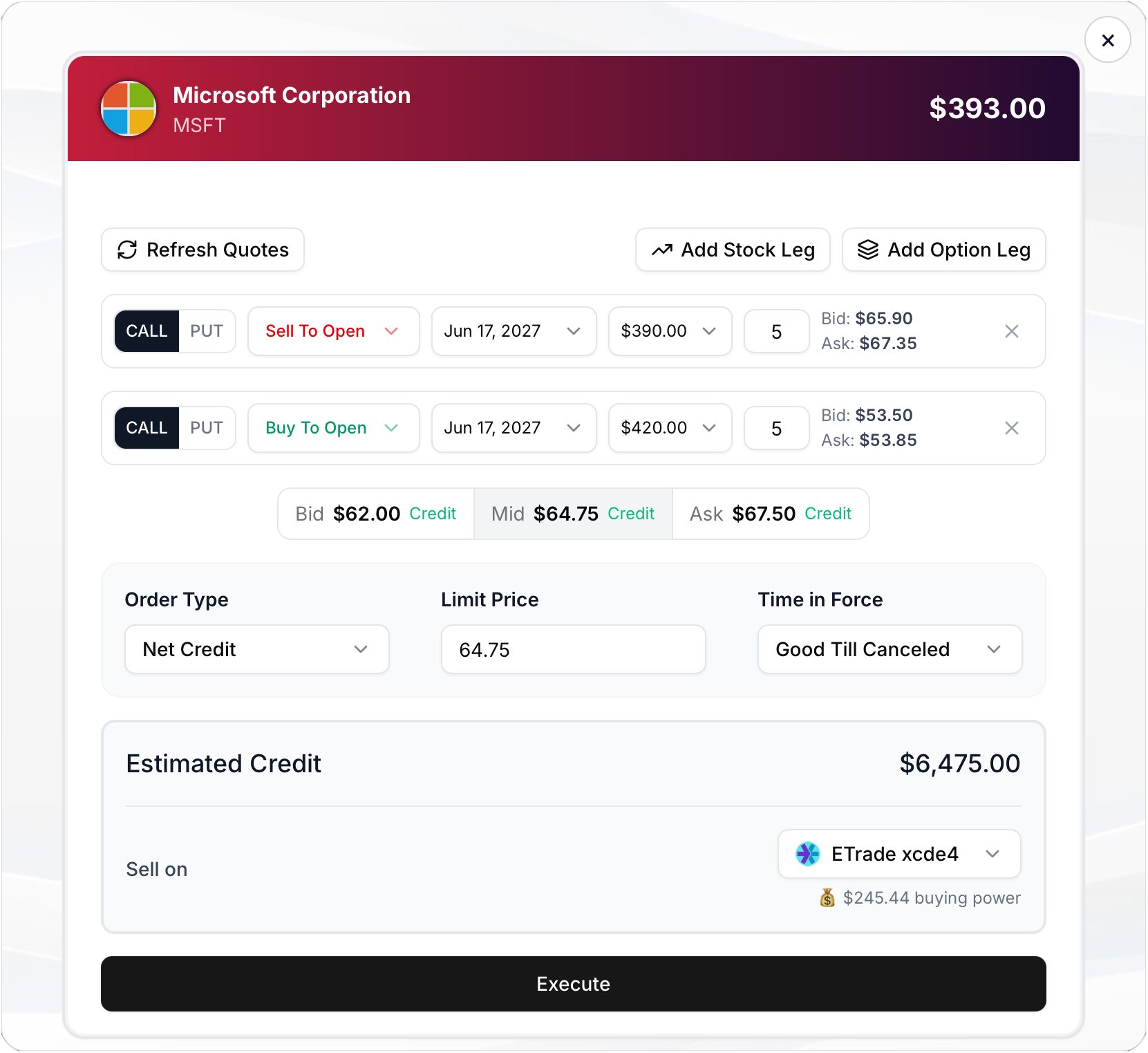
Choose contracts, set a debit or credit, and select an eligible brokerage. Your user sees the details before execution.
Compare options support Interface example from the Trade It docs. Prices shown are illustrative, not current quotes.The Trade It skill gives your AI coding agent the contracts, examples, and workflow to implement OAuth, wire up the modal, fetch holdings, and add order execution.
It works with your app’s existing server and frontend patterns. You register the partner app and provide the credentials; your agent handles the integration work.
Use $trade-it-skill to add Trade It to my app.

Add the portal in Onboarding mode first,
then Connection mode for later visits.
Store each user's OAuth tokens server-side.
Show their holdings and recent orders.
Let them review and place trades.From start to a working trading experience in your product.
Start by registering your organization, then use the skill or follow the SDK docs. Keep credentials on your server and the user in control.
Create an organization, complete partner setup, and save your OAuth client credentials.
Give your coding agent the Trade It skill and describe the experience you want to add.
Authorize users with OAuth, launch the connection portal, and read their account data.
Prefill an order, let the user approve the details, and track the result at their brokerage.
The one-line command installs the skill. Your coding agent then uses it to implement the server-side OAuth flow, session URL routes, frontend modal, and API calls your product needs. Partner registration and credentials are still required.
Yes. Combine the SDK connection portal with direct account and trading API calls, or use the embedded trading modal. The API supports creating a draft, presenting it for review, executing an approved order, and retrieving its status.
No. Stocks, crypto, options, fractional orders, and attached exits vary by brokerage and account permissions. Use the brokerage coverage page and returned account capabilities to offer eligible choices.
Store your partner client secret and per-user OAuth tokens on your server. Trade It provides authenticated session URLs for the embedded flow. Investment assets stay in the user’s brokerage account; Trade It does not custody or transfer them.
Give your users a direct path from your best ideas to their own brokerages.
Build with Trade It