
How to Connect TradeStation to ChatGPT, Claude, Gemini, Grok & Muse
Last updated November 2026
Can I connect TradeStation to my AI assistant?
Yes. Trade It's MCP server connects your TradeStation account to ChatGPT, Claude, Gemini, Grok, and Muse, plus any other assistant that supports MCP. You sign in to TradeStation once, and your assistant can answer questions about your account and place trades in it.
What can my assistant do with TradeStation?
- Read your balances, buying power, and holdings
- Review your order history (90 days imported when you connect, then every order going forward)
- Buy and sell stocks and ETFs
- Trade single-leg options and multi-leg spreads such as verticals, straddles, and iron condors
- Trade outright futures such as /ES and /MCL, quoted through your own account
- Attach take-profit and stop-loss exits to an entry order
- Share any trade as a Trade Link that others can place on their own brokerage
Some features depend on your TradeStation approvals; options, for example, need an options-approved account. The brokerage comparison has the details.
How do I add Trade It to my AI assistant?
In Muse, Claude Code, Codex, or Gemini CLI, paste this prompt and it adds the server for you:
Add the Trade It MCP server to my MCP configuration. URL: https://mcp.tradeit.app/mcp (streamable HTTP, OAuth). Then walk me through signing in.
Using ChatGPT, Claude, Gemini, or Grok in the app? Pick yours below.
- On chatgpt.com, open Plugins, select +, and choose Add custom MCP server.
- Name it Trade It, paste
https://mcp.tradeit.app/mcp, and select Create as a plugin. - Sign in to Trade It when prompted, then type @ in a chat and pick Trade It.
Good to know
Add the server on ChatGPT on the web. ChatGPT asks you to confirm a security notice for custom servers.
- Open Settings → Connectors and choose Add custom connector.
- Name it Trade It and paste
https://mcp.tradeit.app/mcp. - Click Connect, sign in to Trade It, and click Allow Access.
Good to know
Connectors you add on the web also appear in the desktop and mobile apps. Free Claude plans allow one custom connector.
- On gemini.google.com, open Settings → Connected apps and choose Add a custom app.
- Name it Trade It and paste
https://mcp.tradeit.app/mcp. - Sign in to Trade It when prompted.
Good to know
Add custom apps on the Gemini web app; they then work in the mobile app too. You need a personal Google account with Keep Activity turned on.
- Go to grok.com/connectors and click New Connector.
- Choose Custom, name it Trade It, and paste
https://mcp.tradeit.app/mcp. - Sign in to Trade It when prompted.
Good to know
Custom connectors are available on Grok's paid plans. On Grok Business, an admin adds the connector first and each member signs in with their own account.
- In Muse, open Settings → Connectors and choose Add custom connector.
- Name it Trade It and paste
https://mcp.tradeit.app/mcp. - Sign in to Trade It when prompted.
Good to know
Muse can also add the connector for you from a chat.
The Trade It plugin bundles the MCP connection and a trading workflow skill.
# Claude Code
/plugin marketplace add trade-it-inc/skills
/plugin install trade-it@trade-it

# Codex
codex plugin marketplace add trade-it-inc/skills
codex plugin add trade-it@trade-it

# Gemini CLI
gemini mcp add --transport http tradeit https://mcp.tradeit.app/mcp
Start a new session and authenticate Trade It when prompted (in Claude Code, use /mcp). For any other MCP client, see the installation docs.
How do I connect my TradeStation account?
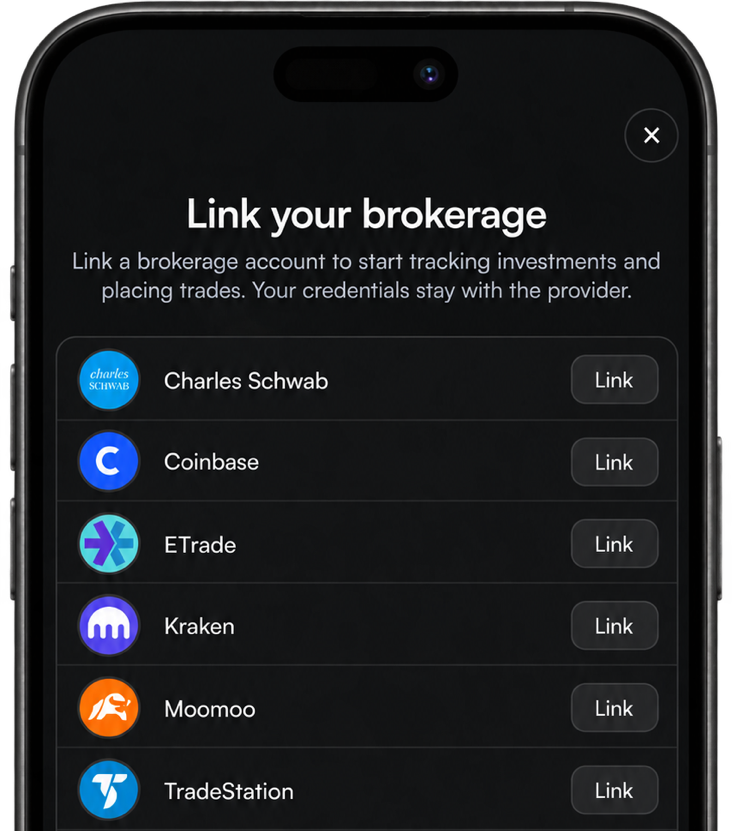
The first time you ask about your accounts, Trade It asks you to link a brokerage. Choose TradeStation and follow TradeStation's own sign-in steps.
Your assistant never sees your TradeStation login. Trade It manages the connection, and you can disconnect it any time from linked accounts.
Will my assistant trade without asking me?
Not unless you let it. When you ask for a trade, Trade It shows the account, quantity, order type, and price, and sends it to TradeStation once you approve.
Confirmations are on by default
Every order waits for your approval. To let your assistant trade for you, turn off Always confirm in Settings. Orders then go straight to your brokerage.
Can I connect my other brokerages too?
Yes. The same connection also covers Charles Schwab, Coinbase, ETrade, Kraken, Moomoo, Public, Robinhood, Tastytrade, TradeStation, Webull. Link them all and ask across every account, like "What's my total exposure to tech?"
Building an app or running a community?
Building a trading app? See the TradeStation API guide, or jump into the integration guide. Running a Discord server? See how to add a trading bot to Discord.
No platform fee or minimum
Individuals use Trade It Pro at $9.99/month with a 14-day free trial. Apps and communities can sponsor Pro for their users at $2.50 per active user per month, and only pay for members who connect a brokerage. See pricing.
Prompts to try
What are my TradeStation holdings, and which positions are up the most?
How much buying power do I have in TradeStation?
Buy $100 of AAPL in my TradeStation account.
Set up a SPY bull call spread expiring next month, 1 contract, and show me the max gain and loss first.
Show me the /MES contracts and their quotes, then draft a buy of 1 contract in the active month.
Buy 5 shares of NVDA with a 10% stop-loss and a 20% take-profit.
Show my orders from the past week and cancel any that are still open.
More questions
Do I need a TradeStation developer account or API key?
No. You connect TradeStation through Trade It's connection flow. Developers building their own apps can use the Trade It API instead of integrating TradeStation directly.
Does this work with other AI assistants?
Yes. Any assistant that supports MCP works. Point it at the Trade It server using the installation docs.
What does it cost?
For individuals: the MCP server, API, and Discord bot are part of Trade It Pro, $9.99/month with a 14-day free trial.
For apps and Discord communities: sponsor Trade It Pro for your users or members at $2.50 per active user per month, with no platform fee or monthly minimum. You only pay for members who connect a brokerage. See pricing.