
How to Connect TradeStation Accounts to Your App
Last updated November 2026
Can my app connect to TradeStation accounts?
Yes. Your users connect TradeStation through the Trade It Portal, and your app talks to one API for every brokerage. Your app never handles their TradeStation password, and they can disconnect at any time.
How do my users connect their TradeStation account?
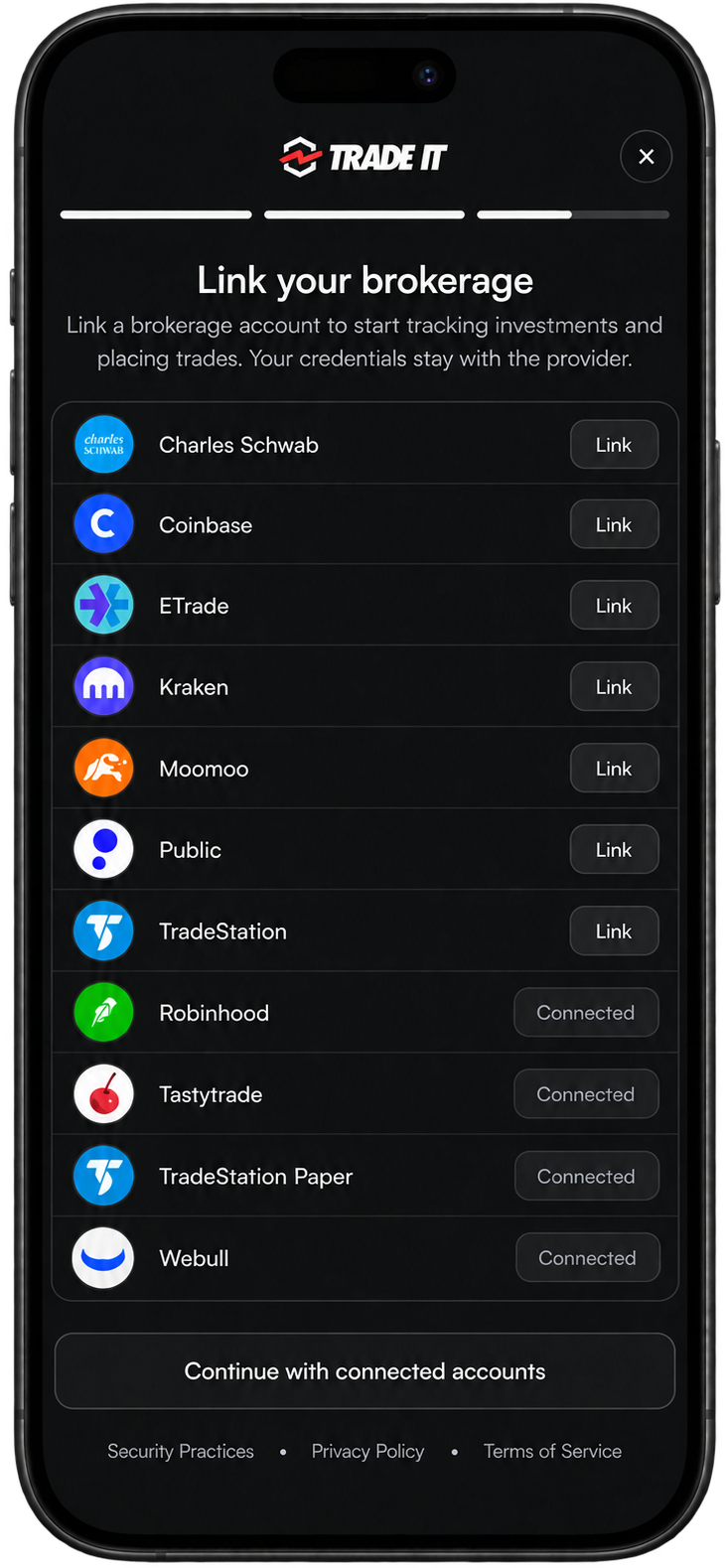
Your backend creates a portal URL with the user's Trade It access token, and your app opens it. By default, the portal lists every supported brokerage, TradeStation included:
const portal = await fetch('https://api.tradeit.app/api/portal', {
  method: 'POST',
  headers: {
    Authorization: `Bearer ${accessToken}`,
    'Content-Type': 'application/json',
  },
  body: JSON.stringify({ connect_options: {} }),
}).then(res => res.json());
Pass portal.url to your frontend. A user's first visit starts in Onboarding mode, which adds Trade It sign-in before the brokerage step.
Show only TradeStation
To skip the picker and open TradeStation directly, set brokerage_code in connect_options:
{ "connect_options": { "brokerage_code": "tradestation" } }
What can my app do with TradeStation?
- Read your balances, buying power, and holdings
- Review your order history (90 days imported when you connect, then every order going forward)
- Buy and sell stocks and ETFs
- Trade single-leg options and multi-leg spreads such as verticals, straddles, and iron condors
- Trade outright futures such as /ES and /MCL, quoted through your own account
- Attach take-profit and stop-loss exits to an entry order
- Share any trade as a Trade Link that others can place on their own brokerage
The brokerage comparison lists order types, minimums, and fractional support.
Do users approve every trade?
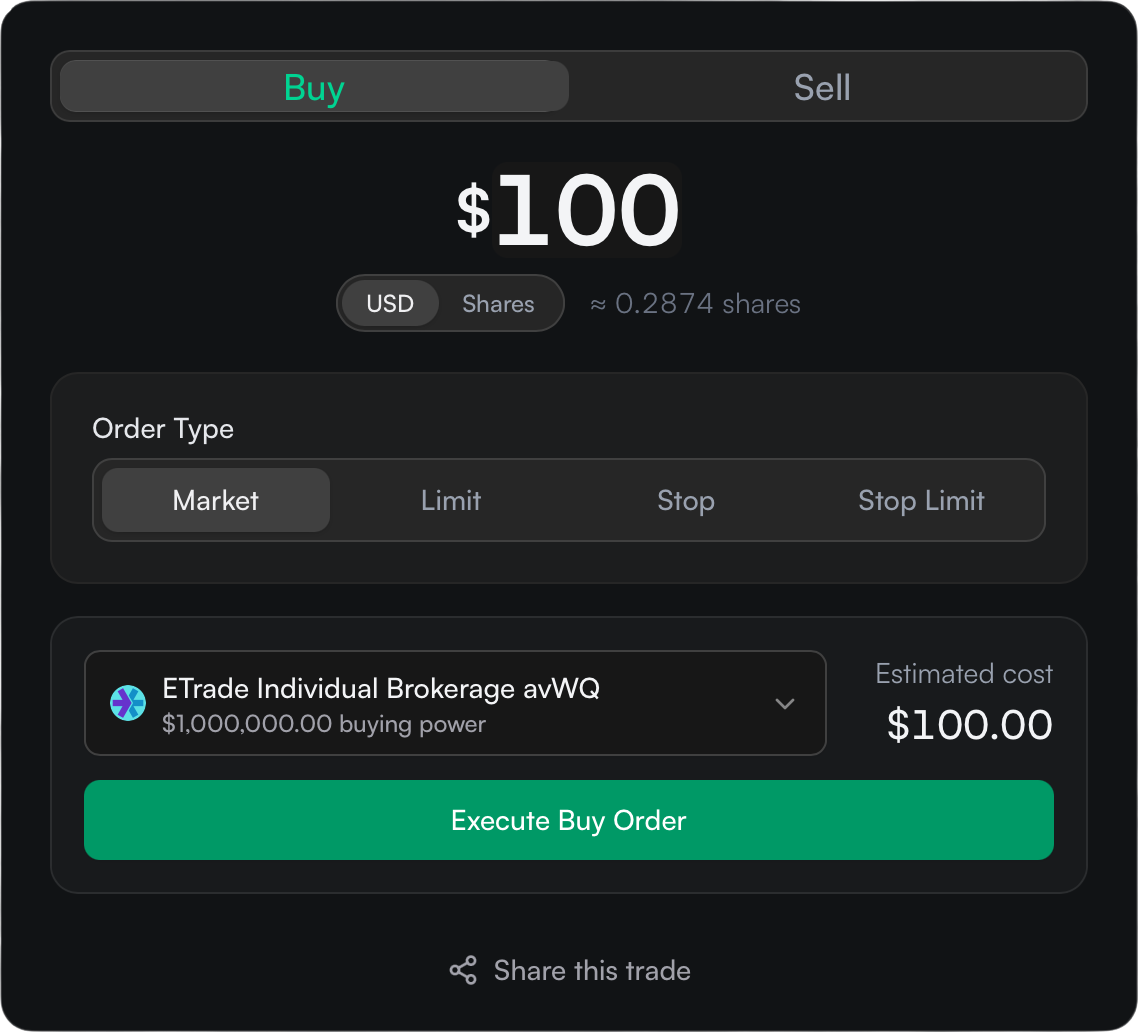
Yes. Your app creates a draft, shows the user the details, and places it only after they approve. Use the @trade-it/react review modal, or build your own screen on the REST API.
Built for reviewable trading
Drafts and explicit approval are part of the API, so your app gets a safe trading flow without designing one from scratch.
How do I start?
Give your coding agent this prompt. It reads the Trade It skill and docs, then builds the integration:
Read the Trade It Developer skill at https://github.com/trade-it-inc/skills
(skills/trade-it-developer/SKILL.md and its references/) and use it to
integrate Trade It into this platform.
Read https://docs.tradeit.app/sdk and its linked guides first.

Use our existing framework, authentication, and database.

Use POST /api/portal with Basic client credentials for the first visit:
put redirect_uri, state, PKCE, and optional email_hint in oauth_options.
This opens the Trade It Portal in Onboarding mode: an access overview, sign-in,
and brokerage connection in one modal. Supply email_hint to start OTP,
or omit it to offer social and email sign-in.
Set up server-side PKCE/state validation, the onAuthorization code
exchange, and per-user token storage and refresh.
For subsequent connections, call the same endpoint with the user's saved
Bearer access token and omit oauth_options. Refresh expired tokens first.
Use connect_options to customize the portal in either mode. To show only
TradeStation, set connect_options.brokerage_code to "tradestation".
Keep the client secret and OAuth tokens on the server.

Add an account selector and holdings for the selected account.
Add trade history using the REST API.
Use @trade-it/react for the trade review modal.
Recommend but do not require explicit user approval before placing any live trade.

Tell me which callback URL to register and which environment variables to
set. I will supply credentials through the environment, not this chat.
Verify OTP, code exchange, refresh, and reconnect paths.
What does it cost?
No platform fee or minimum
$2.50 per active user per month. You only pay for users who connect a brokerage, so you can launch with your first user. See pricing.
Want TradeStation in an AI assistant instead?
More questions
Do I or my users need a TradeStation developer account?
No. Your users sign in with their normal TradeStation login inside the Trade It Portal.
Can I test without real money?
Yes. Connect TradeStation Paper for simulated stock and options trading with the same API.
Which other brokerages can my users connect?
Charles Schwab, Coinbase, ETrade, Kraken, Moomoo, Public, Robinhood, Tastytrade, TradeStation, Webull, all through the same API.